Soulframe Collection & Mastery Tracker
Every weapon, armor piece and pact in Soulframe, plus Discoveries and Tempers, in one list. Filter down to what you are missing or have not mastered yet and watch the completion counters fill up.
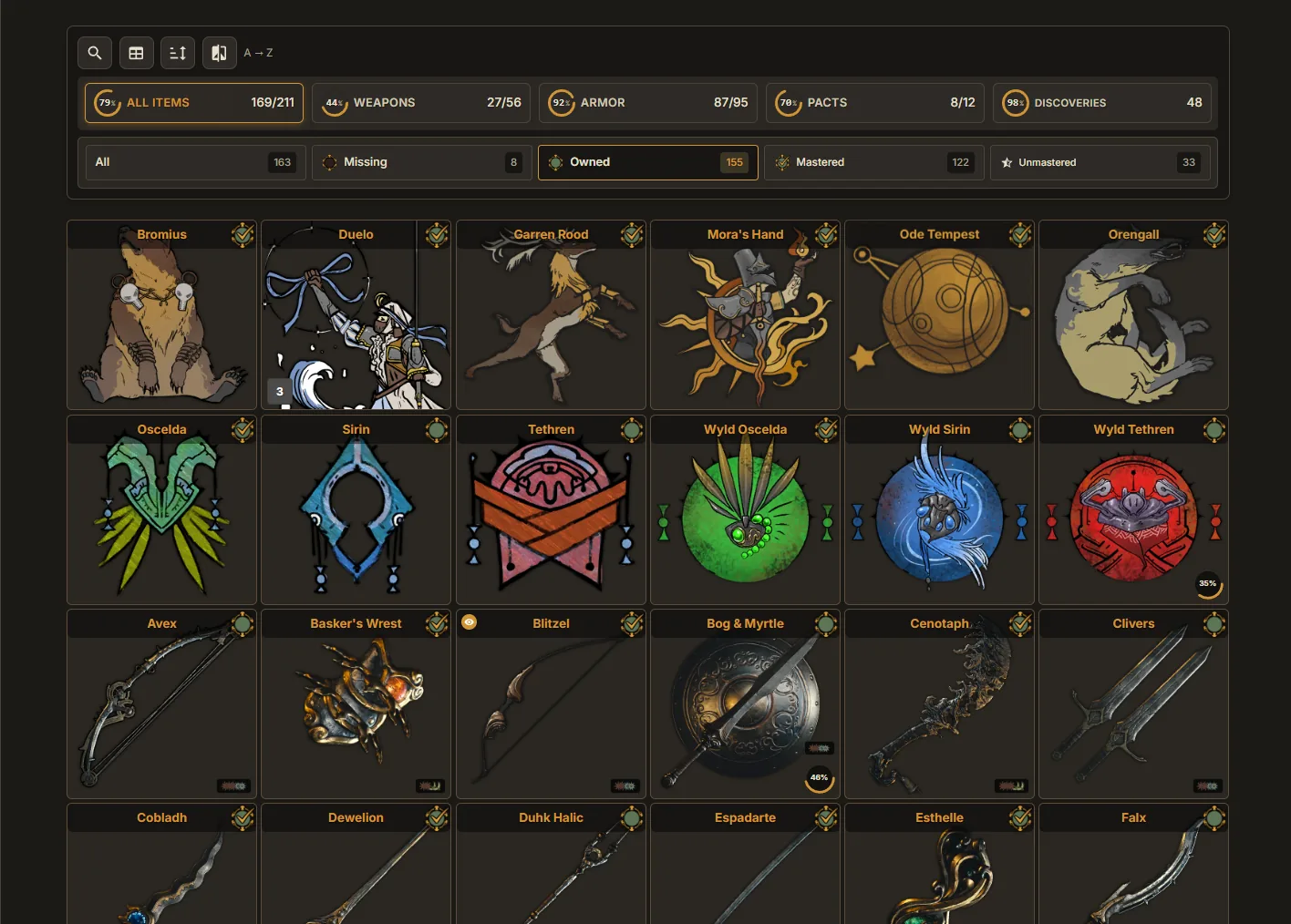
Your Collection
The Collection view lists every weapon, armor piece and pact in Soulframe, plus Discoveries and Tempers. Mark what you own, filter by status, and watch the counters at the top fill up.
Marking Items
Click any item card to open it. Inside, cycle through Not owned → Crafted → Mastered. Your totals update in real time at the top of the page. When synced, your actual ownership updates these marks automatically.
Grid & List Modes
Toggle between grid (image cards) and list (compact table) using the icons near the top of the view. List mode adds sortable columns — click a column header to sort by name, mastery XP, or other fields.
Filtering by Status
Use the filter next to the search bar to show All, Owned, Missing, Mastered or Unmastered items. Discoveries and Tempers have their own filters, such as Unknown, In Progress and Unlocked.
Searching & Filtering
The search bar at the top filters by item name. The view also groups weapons by weapon class — scroll down to see all groups, or use the collapse buttons to hide groups you're done with.
Completion Counters
The counters at the top of the view track how many items in each category you own and how many you have mastered.
Right-Click Actions
Right-click an item card for quick actions: pin it to the top of its group, hide it from the list, compare it with another item, or add it to the Planner.
FAQ
Do I have to mark items as owned by hand?
On the desktop app your collection updates on its own as you play. On the web version you mark items yourself, and your progress is saved in your browser.
Can I hide Founder and unobtainable items?
Yes. Settings has switches to hide Founder items and unobtainable items so your totals only count what you can actually get.
Ready to try it?
Little Genius is free. Download the desktop app for Windows or Linux and your collection keeps itself up to date, or use Lite Genius in your browser.
Get Little Genius Is it safe? Read the FAQ →