Soulframe Builds & Loadouts
Your loadouts with their weapons, pact, runes, totems and tempers, all on one screen. Save a loadout as a build, make one from scratch, and share it on Avakot Build or import someone else’s.
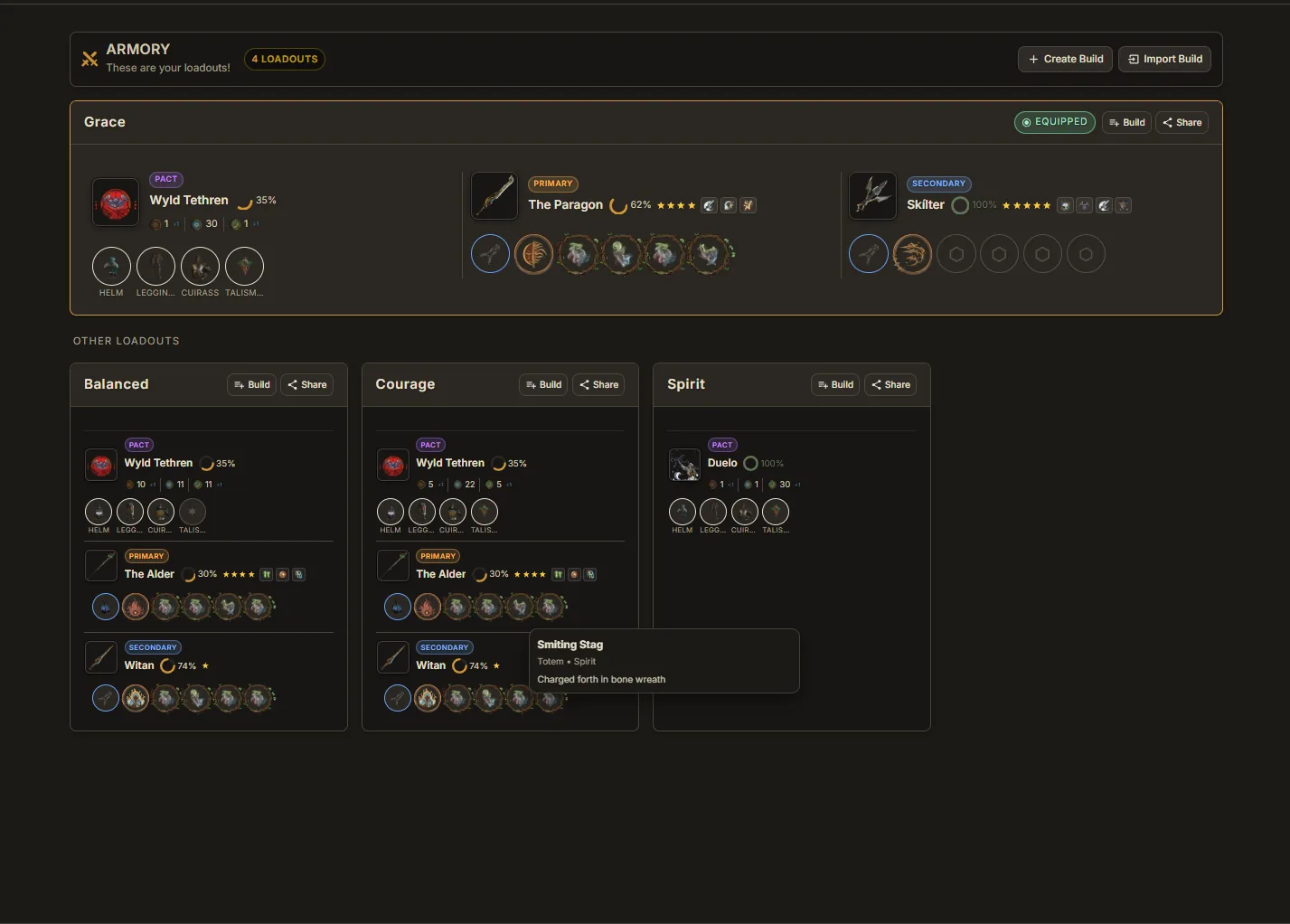
Armory
The Armory shows your in-game loadouts and keeps your saved builds. Turn a loadout into a build, make one from scratch, or import one from Avakot Build.
Your Loadouts Desktop app
Your Main Loadout and your other loadout presets appear at the top with their weapons, pact, runes, totems and tempers. Create presets in game and they show up here.
Editing a Build
Edit opens a build so you can change its weapons, pact, armor, runes, totems, tempers and notes.
Sharing & Importing Builds
Builds travel through Avakot Build, the build site at avakot.build. Share sends a build there, and Import brings one back.
Sharing
Share on a loadout or a saved build opens it on Avakot Build in your browser. Sign in there, review it, then Save & share to get a link you can send to anyone.
Importing
Click Import Build and paste an avakot.build link or build code. Older Little Genius build codes still import too. A build you imported and have not changed shares its original page.
FAQ
How do I share a Soulframe build?
Click Share on a loadout or a saved build. It opens on Avakot Build (avakot.build), where you can publish it and send the link to anyone.
Ready to try it?
Little Genius is free. Download the desktop app for Windows or Linux and your collection keeps itself up to date, or use Lite Genius in your browser.
Get Little Genius Is it safe? Read the FAQ →